Laptop rental management your HR and admin teams do not have to run.
Every SPURGE rental includes the client panel at no extra cost. Employees raise support, return, and replacement requests from a QR code on the device, rental logs update as devices move, and your team exports the records to a sheet in one click — for ten laptops or a thousand.
What the client panel does for the people who manage the laptops.
Renting laptops usually moves work onto your HR and admin teams: collecting requests, chasing the vendor, and rebuilding a list of who has which device before every invoice. The SPURGE client panel is included so that work does not land on them. Employees raise requests against their own device, and the record of what was ordered, returned, replaced, or cancelled keeps itself.
It is the same at any size. Ten laptops in one office and a thousand across several cities use the same QR-linked requests, the same lifecycle logs, and the same one-click export — so month-end is reading a current record rather than reconciling two of them.
Four things the panel does that you would otherwise do by hand.
Included with the rental
The SPURGE client panel comes with every rental at no extra cost. It is not a separate product, a paid add-on, or a licence counted per device.
Employees raise their own requests
Each device carries a QR code and each client a dedicated link. The person using the laptop raises a support, return, replacement, upgrade, downgrade, or new-order request directly, instead of routing it through HR or admin.
Logs that keep themselves
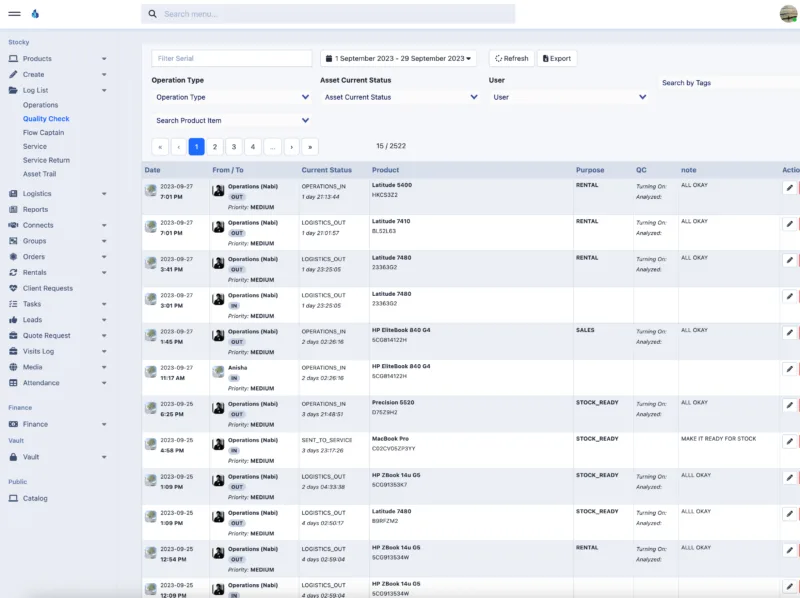
New orders, returns, replacements, and cancellations are recorded as they happen across the rental lifecycle, so the log reflects device movement rather than someone remembering to update it.
The same records on both sides
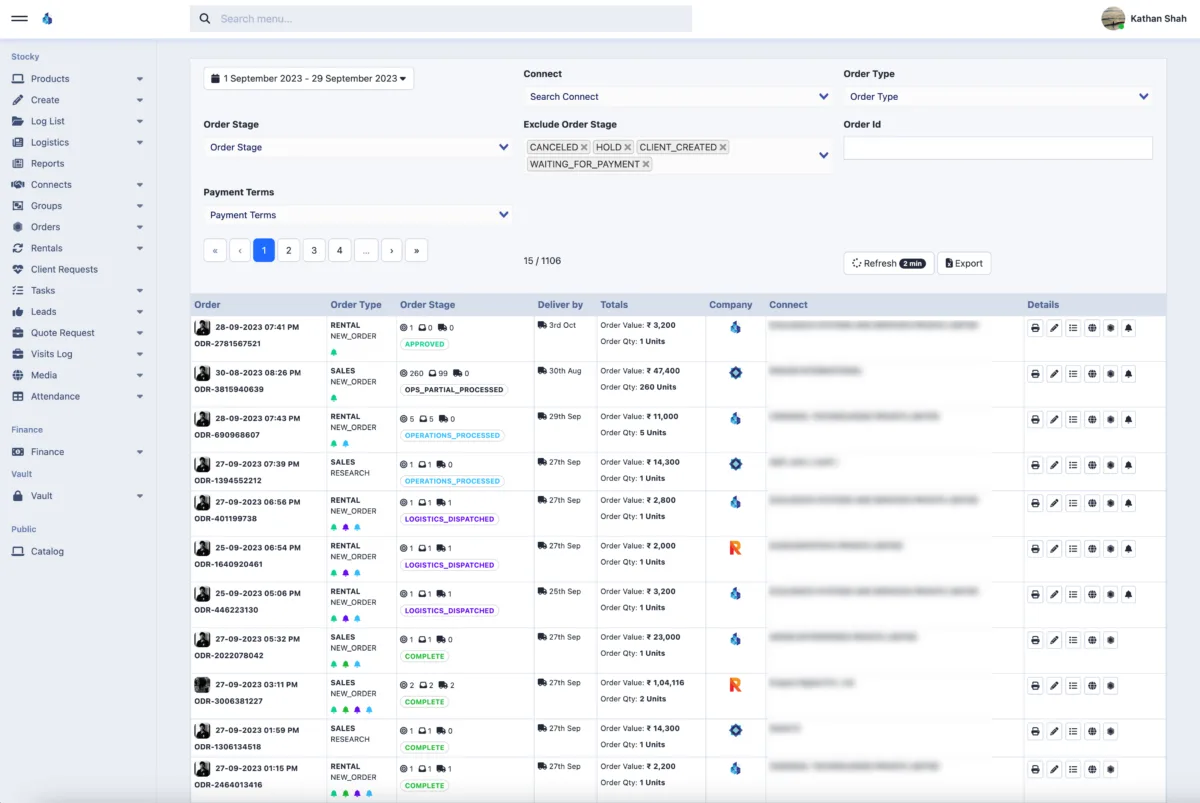
Your team and the SPURGE team read the same rental records, so a monthly rental calculation does not have to be reconciled between two versions. One click exports them to a sheet.
From your requirement to a record you can export.
Requirement arrives with category, city, quantity, timeline, and support needs.
Team checks availability, device condition, accessories, and logistics feasibility.
Devices are prepared, packed, documented, and dispatched through the agreed flow.
Each device reaches the employee with a QR code, and the client team gets its panel.
Employees raise support, return, replacement, upgrade, downgrade, or new-order requests themselves; each request and the device movement it causes is logged.
Your HR, admin, and accounts teams read the current rental position in the panel and export it to a sheet whenever they need one.
What happens between a request and a record.

The services the panel runs on top of.
Want to see the client panel before you order?
Send your rental requirement with quantity, configuration, city, and dates. SPURGE can walk your HR, admin, or IT team through the panel and the QR-linked request flow for that order.