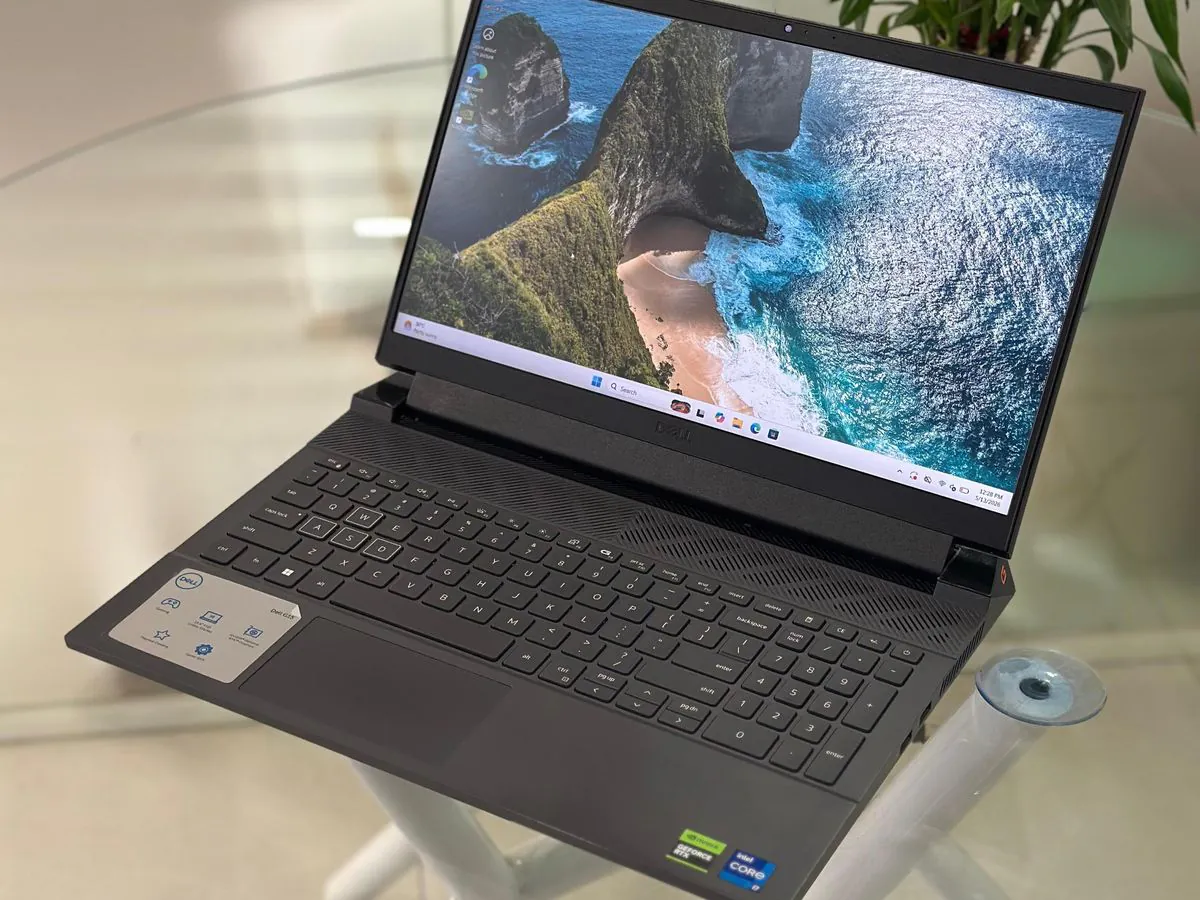
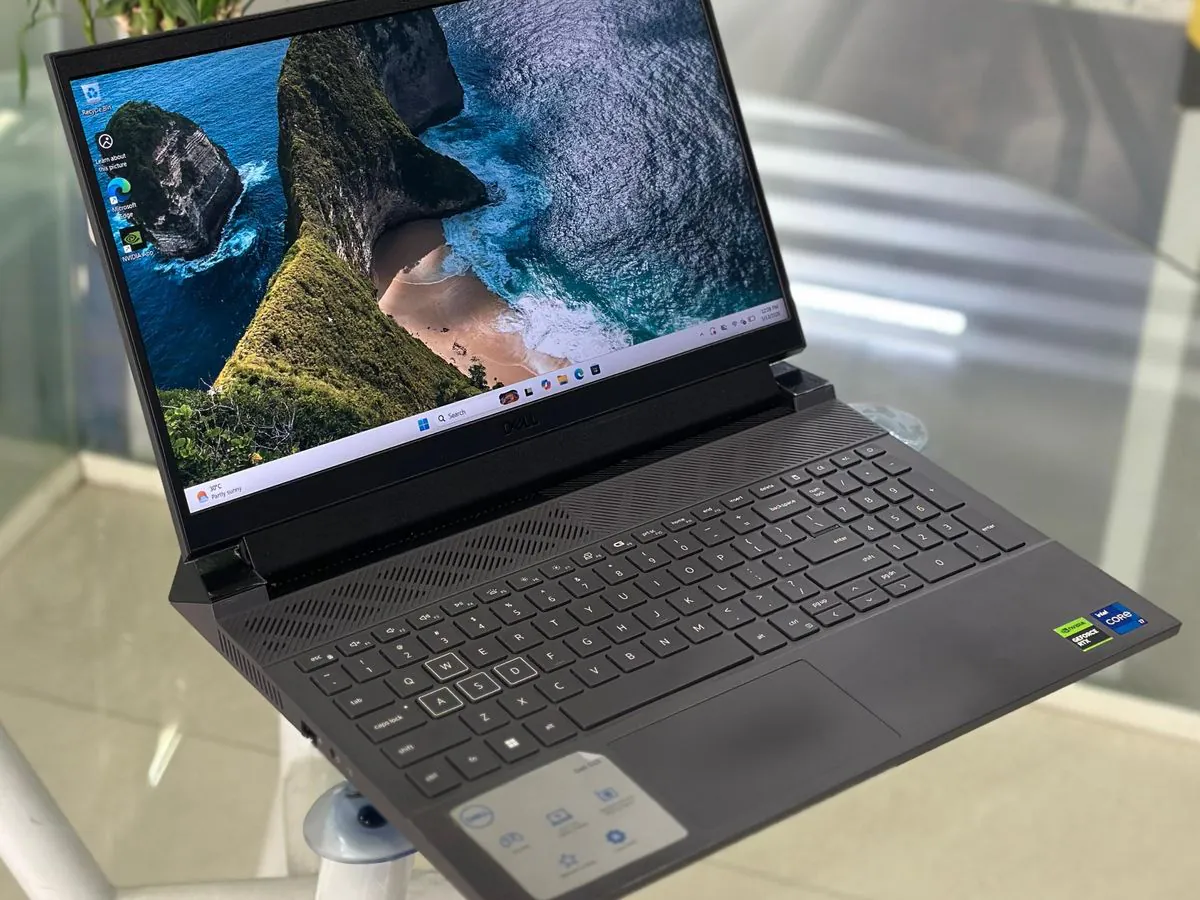
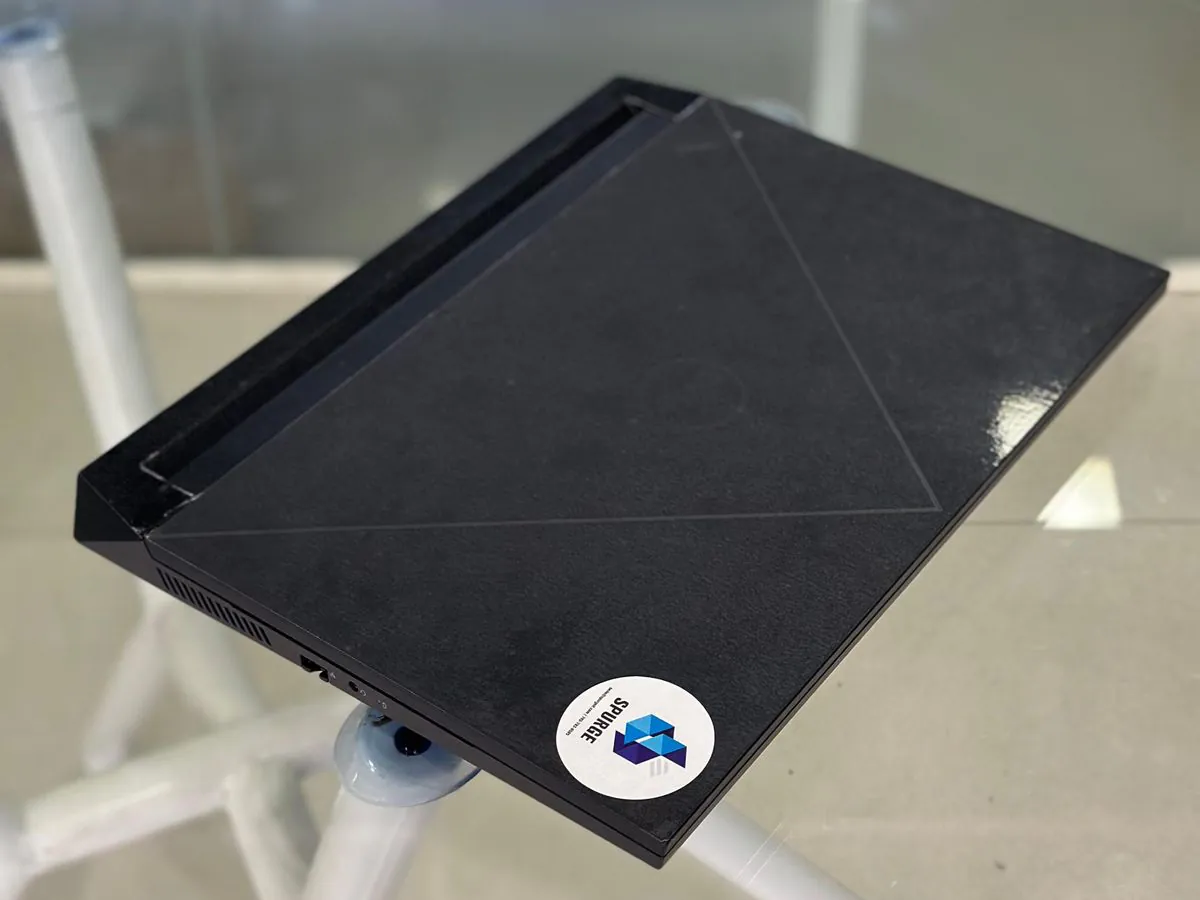
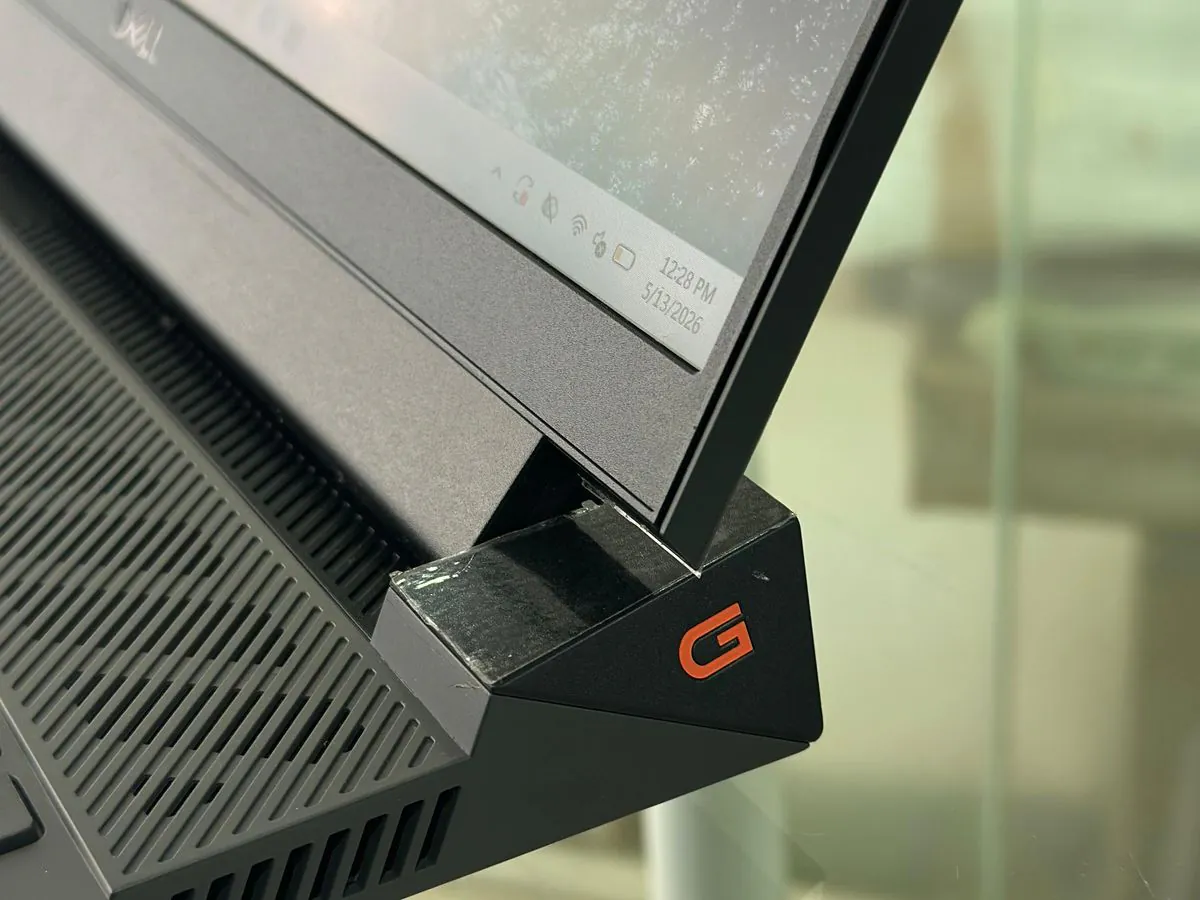
Is this the right laptop for your work?
Development and multitasking
Consider the requested CPU and RAM for builds and parallel development tools. Validate your own project, virtual-machine requirements and sustained workload before choosing it.
Graphics and content work
Dedicated graphics may suit GPU-assisted work when the application supports this GPU. Validate project memory requirements and the installed panel; FHD alone does not establish colour accuracy.
Desk-based team deployments
USB-A, Ethernet and display outputs can simplify a desk setup. Account for the laptop and adapter weight when frequent travel matters; test battery runtime on your own workload.
Processor & graphics
The requested configuration pairs an i7-13650HX with RTX 3050 6 GB graphics. Dell documents both as G15 5530 options but not as one verified unit; processor clocks and cache describe the i7-13650HX option.
Show 6 specificationsHide specifications
| Processor | 13th Gen Intel Core i7-13650HX Confirm with sales Requested processor. Dell documents it as a G15 5530 option, but no official source verifies this complete Indian factory configuration or a supplied SPURGE unit. Processor |
|---|---|
| CPU | 14 cores / 20 threads Confirm with sales 6 performance and 8 efficiency cores in the requested i7-13650HX; confirm the installed processor. Processor |
| CPU clocks | P-cores: 2.60–4.90 GHz; E-cores: 1.90–3.60 GHz Upper figures are maximum turbo clocks, not sustained all-core guarantees; thermal mode affects clocks. Processor |
| CPU cache | 24 MB Processor |
| Requested graphics | NVIDIA GeForce RTX 3050 · 6 GB GDDR6 Confirm with sales User-supplied configuration; official sources list compatible model options but do not verify this complete Indian factory tuple or a supplied SPURGE unit. Dell India product specifications |
| Installed GPU power limit | Confirm the unit’s GPU power limit Confirm with sales The reviewed India option list does not establish the GPU power limit of this supplied unit. Dell India product specifications |
Memory & upgrades
Dell documents removable RAM and SSDs. Supported upgrades do not establish what is installed in a particular unit.
Show 5 specificationsHide specifications
| Requested memory | 32 GB DDR5 Confirm with sales User-supplied configuration; official sources list compatible model options but do not verify this complete Indian factory tuple or a supplied SPURGE unit. Memory |
|---|---|
| Documented RAM transfer rate | 4800 MT/s The India sales page uses MHz; the support specification explicitly gives MT/s. Confirm the installed modules and operating rate. Memory |
| RAM slots & upgrades | 2 removable SODIMM slots; up to 32 GB total Dell lists 8 or 16 GB per slot and 2 × 16 GB for 32 GB. Actual occupied/free slots need inspection. Match module capacity/speed and use BIOS 1.6.0 or later for upgrades. MemoryInstalling the memory module |
| Requested storage | 1 TB NVMe SSD Confirm with sales User-supplied configuration; official sources list compatible model options but do not verify this complete Indian factory tuple or a supplied SPURGE unit. Storage |
| SSD slots & upgrades | 2 M.2 SSD slots; PCIe NVMe Gen4 x4 2230 drives: up to 1 TB; 2280: up to 2 TB. Primary drive uses slot 1. Actual occupancy needs inspection. For a later slot-2 addition, Dell recommends a 2280 SSD with a Dell thermal shield. StorageInstalling the solid-state drive |
Display & size
FHD specifies resolution. It does not identify refresh rate, brightness or colour coverage.
Show 6 specificationsHide specifications
| Display diagonal | 15.6 inches Display |
|---|---|
| Requested resolution | 1920 × 1080 pixels (FHD) Confirm with sales The request specifies FHD. Confirm the installed panel; the global manual also includes a QHD option. Display |
| Documented panel construction | WVA · anti-glare · non-touch Dell’s display table lists these characteristics; WVA is Dell’s terminology and is not expanded to an unverified panel technology. Display |
| Installed panel option | Confirm refresh rate, brightness and colour coverage Confirm with sales Global FHD options: 120 Hz / 250 nits / 45% NTSC; 165 Hz or 360 Hz / 300 nits / 100% sRGB. The India page lists 120 and 165 Hz; no option is assumed installed. Display |
| Width × depth × height | 357.26 × 274.52 mm; height up to 26.95 mm Front height 21.28 mm; rear 26.15 mm; peak 26.95 mm. Dell India product specifications |
| Model maximum weight | 2.81 kg Dell’s published maximum, not a measurement of the supplied configuration; charger weight is separate. Dell India product specifications |
Battery & charging
Battery capacity, condition and charger must be checked on the supplied unit. No fixed runtime is promised.
Show 5 specificationsHide specifications
| Installed battery | Confirm 56 Wh or 86 Wh lithium-ion battery Confirm with sales Dell lists 3-cell 56 Wh and 6-cell 86 Wh options; the request does not identify the battery. Battery |
|---|---|
| Battery runtime | No numeric workload-tested runtime in the cited battery table Not published Dell states runtime varies with operating conditions and falls under power-intensive use. Battery |
| Charging connection | 7.4 × 5.1 mm power-adapter port External ports and slots |
| Documented charging methods | Approximately 2 hours Express / 3 hours standard; Boost: 0–35% in as little as 20 minutes Mode-specific manufacturer estimates for the listed battery options; confirm enabled charging mode, adapter and battery condition. Charge temperature range: 0–50°C. Battery |
| Supplied charger | Confirm adapter wattage and included power cable Confirm with sales The manual lists 180, 240 and 330 W adapters; 180 W availability varies by region. These are alternatives, not interchangeable supplied-accessory promises. Power adapter |
Ports & wireless
Check the monitor, cable and dock combination before ordering. USB-C alone does not establish Thunderbolt or laptop charging.
Show 6 specificationsHide specifications
| USB ports | 3 × USB-A 3.2 Gen 1; 1 × USB-C 3.2 Gen 2 Up to 5 Gbps for Gen 1 and 10 Gbps for Gen 2. The USB-C port supports DisplayPort 1.4 on RTX 3050 configurations. External ports and slotsBack view |
|---|---|
| Other connections | 1 × HDMI 2.1; 1 × RJ45; 1 × universal audio jack; 1 × barrel power input External ports and slots |
| Card reader & security slot | Neither is supported External ports and slots |
| Thunderbolt & USB-C charging | Not specified in the reviewed port descriptions Not published No Thunderbolt or USB-C laptop-charging capability is claimed. Use the documented power-adapter input. External ports and slotsBack view |
| External display limits | Confirm simultaneous monitor count and resolution/refresh combination Confirm with sales HDMI and USB-C DisplayPort outputs are documented; the reviewed descriptions do not establish a simultaneous-display matrix or lid conditions. External ports and slotsBack view |
| Documented wireless module | Intel AX201 · Wi-Fi 6 · Bluetooth 5.2 2.4/5 GHz; up to 2400 Mbps link rate, not measured throughput. Confirm the installed module on a renewed unit. Wireless module |
Camera & everyday use
Keyboard lighting and the Windows edition are supplied-unit checks, even when Dell supports those options.
Show 5 specificationsHide specifications
| Camera | 720p HD webcam Dell India product specifications |
|---|---|
| Speakers & microphone | 2 speakers, 2 W each average; 1 microphone Microphone is in the camera assembly. Audio |
| Requested keyboard | RGB backlit keyboard — confirm installed option Confirm with sales Dell offers four-zone RGB and single-colour white/hot-coral backlights. A backlit keyboard is not automatically RGB; confirm layout too. Keyboard |
| Biometric sign-in | Confirm required biometric hardware Confirm with sales The reviewed product and keyboard specifications do not verify fingerprint or IR face-login hardware for this unit. Dell India product specificationsKeyboard |
| Requested operating system | Windows 11 Pro Confirm with sales Pro is a documented model option; confirm installed edition and licence for the supplied unit. Dell India product specifications |
Confirm the laptop. Then confirm the terms.
- Configuration supplied by the owner. Confirm the unit specification and any RAM or SSD modifications in the quotation; a matching Indian factory SKU has not been established.
- Confirm the RAM modules, SSD identity and occupied slots, FHD panel, four-zone RGB keyboard, Windows 11 Pro licence, battery and charger in the quotation.
- Share quantity, workload, city and required date. Confirm availability, delivery charges and warranty provider, duration and exclusions.
- For a renewed unit, request its battery-health report, cosmetic condition and included accessories. Model specifications do not establish unit condition.
Related options: Laptop rentals IndiaNew laptop procurementRefurbished laptopsContact SPURGERead our sales terms.
Dell G15 5530 FAQs
Can the G15 5530 RAM be upgraded?
Yes. Dell documents removable SODIMMs and a 32 GB maximum using two 16 GB modules. Check installed modules, matching speed/capacity and BIOS 1.6.0 or later before an upgrade.
MemoryInstalling the memory moduleCan I add a second SSD?
Dell documents two M.2 slots. Confirm whether slot 2 is free; for a later addition there, Dell recommends an M.2 2280 SSD with its thermal shield.
StorageInstalling the solid-state driveDoes FHD mean this laptop has a 165 Hz display?
No. Dell lists several FHD panels with different refresh rates and colour coverage. The supplied FHD description does not identify the installed panel.
DisplayDoes every G15 5530 have an RGB keyboard?
No. Dell lists both single-colour and four-zone RGB backlights. Confirm the requested RGB option on the supplied unit.
KeyboardHow do I request this configuration from SPURGE?
Send the requested specification, quantity, city and required date. SPURGE must confirm the complete unit configuration and quote the purchase or rental terms before an order.
Check the facts at the source.
- Dell — Dell India product specifications
Tech Specs; independent model options, not an exact Indian SKU or SPURGE stock record. Checked .
- Dell — Processor
Processor table, option two (i7-13650HX); model component facts. Checked .
- Dell — Memory
Memory table and upgrade note; English content with Polish site navigation. Checked .
- Dell — Installing the memory module
Customer Replaceable Units, installation steps; redirected to Japanese navigation with English procedure. Checked .
- Dell — Storage
Storage table and slot-one primary-drive note; model options. Checked .
- Dell — Installing the solid-state drive
Service procedure, About this task; redirected to Portuguese. Slot-two recommendation translated from official text. Checked .
- Dell — Display
Display table; global model options, not confirmation of an installed Indian panel. Checked .
- Dell — Battery
Battery table, both options and charging methods; no workload-specific runtime figure. Checked .
- Dell — Power adapter
Power-adapter table; wattages are model options, with regional restriction for 180 W. Checked .
- Dell — External ports and slots
External ports and slots table; complete physical connector list. Checked .
- Dell — Back view
Back view, USB descriptions; redirected to Danish. Documents 5/10 Gbps and DisplayPort 1.4 for RTX 3050/4050/4060. Checked .
- Dell — Wireless module
Wireless module table; Intel AX201 model specification. Checked .
- Dell — Audio
Audio table; speaker output and microphone count. Checked .
- Dell — Keyboard
Keyboard table; English content with Spanish site navigation; backlight alternatives. Checked .
- Dell — Dell 2023 G15 announcement
Announcement dated 22 March 2023 in the body, Japanese market; generation evidence only, not an Indian launch date or exact SKU. Checked .
- Dell — Dell G15 5530 BIOS release
Release date 6 September 2023 and compatible systems identify G15 5530; corroborates the 2023 generation, not a recommendation to install old firmware. Checked .