Dell XPS 15 9570 — Intel Core i7, 8th Gen
Sale price₹35,000+ GST
16 GB DDR4-2666 (2 × 8 GB) RAM · 512 GB M.2 2280 PCIe NVMe SSD · NVIDIA GeForce GTX 1050 Ti (4 GB GDDR5) · 8th Gen Intel Core i7-8750H · 6 cores / 12 threads
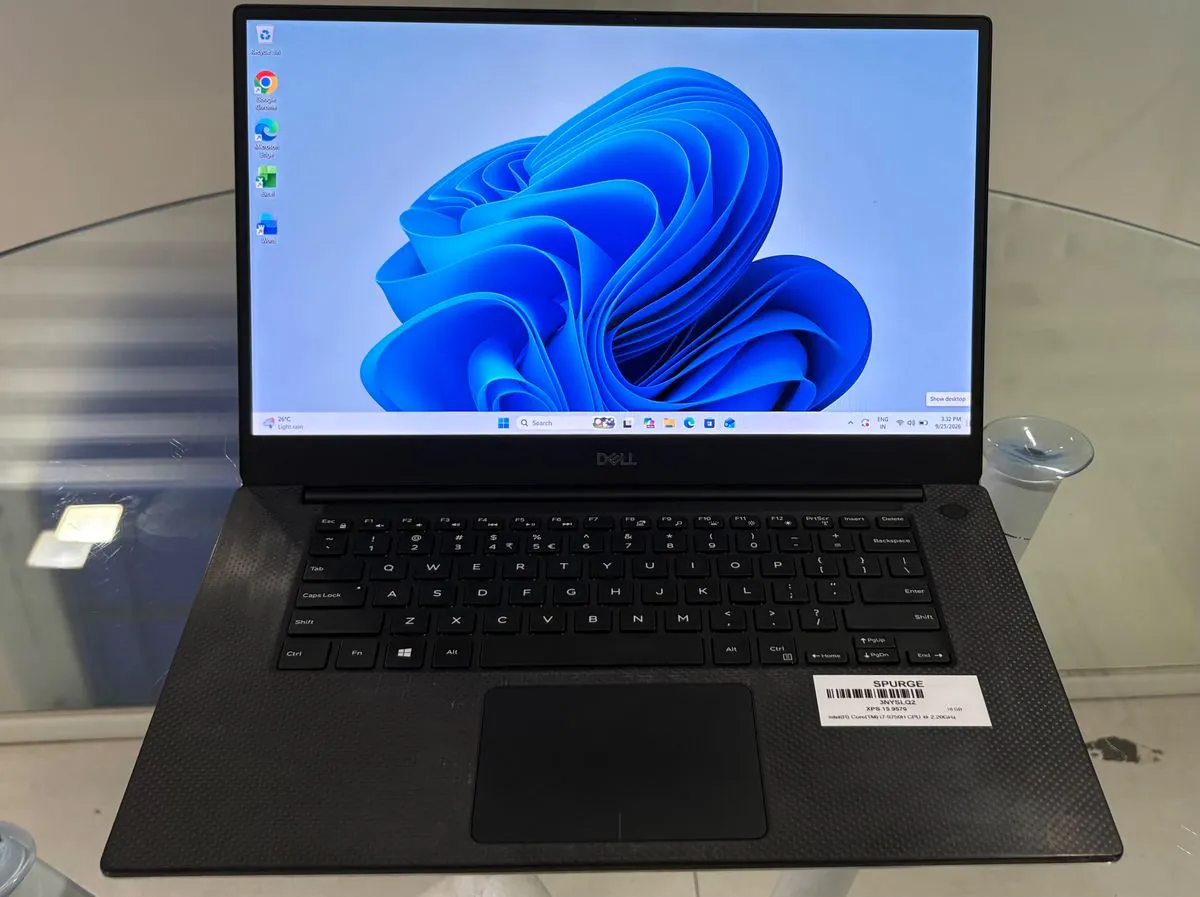
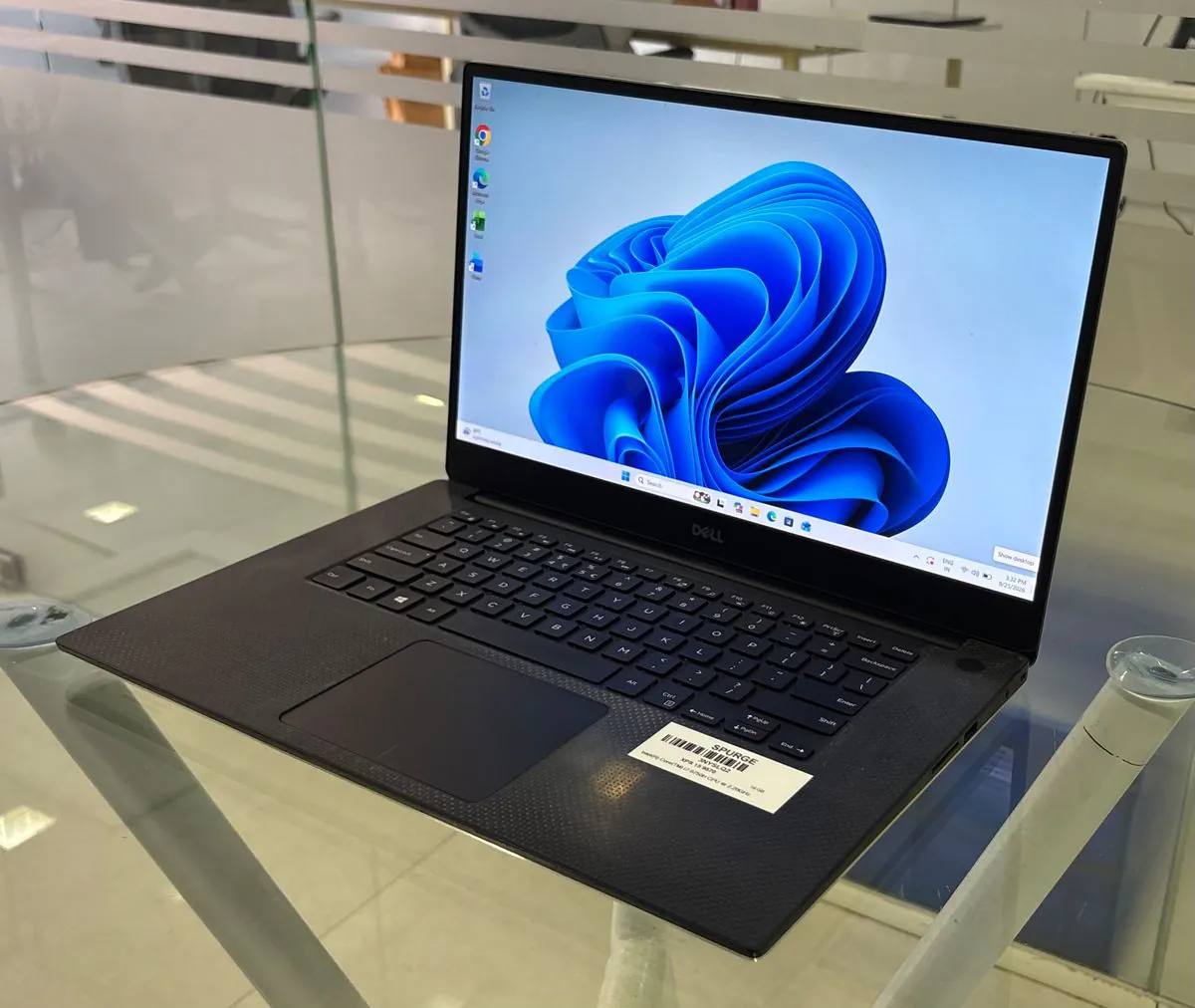
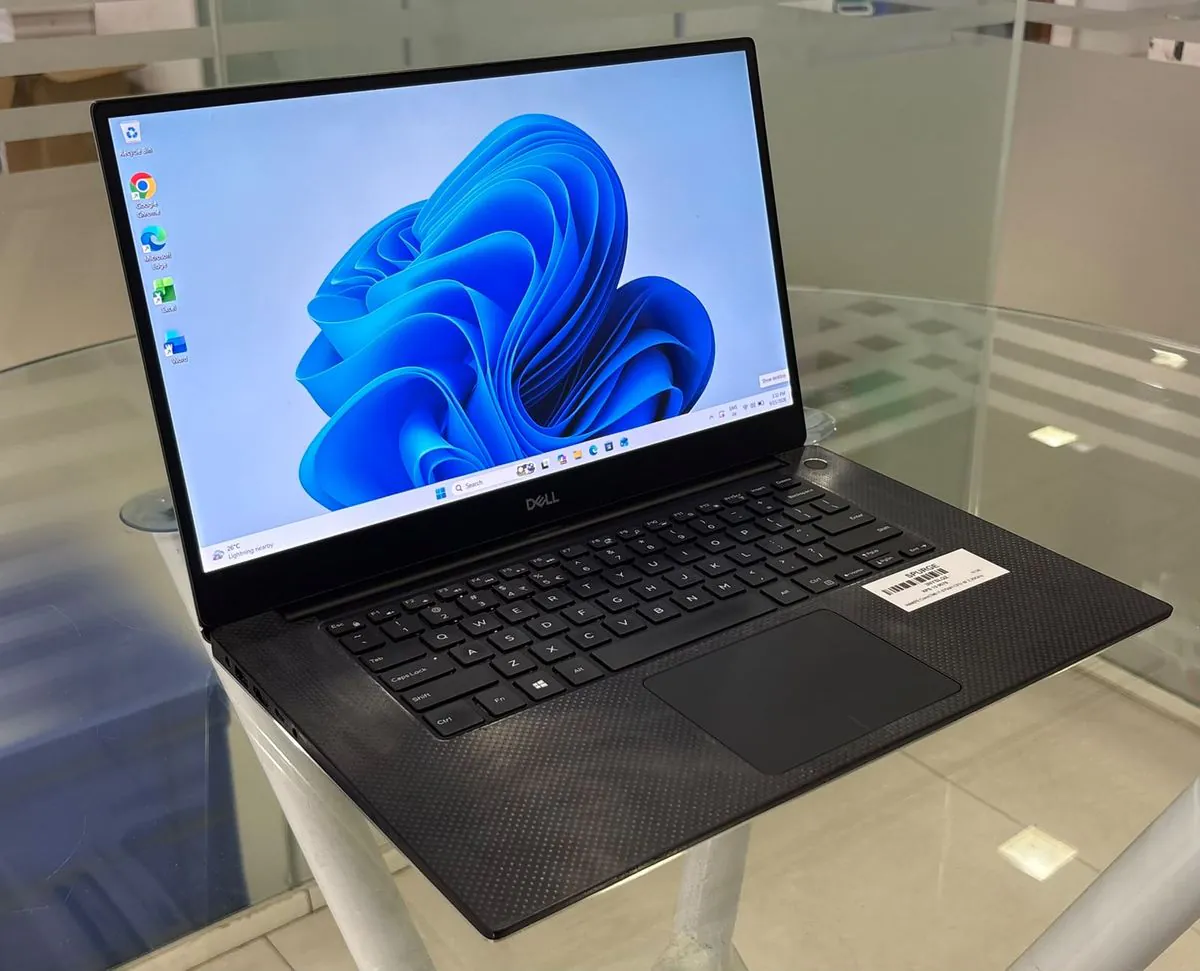
Enquire about a Dell XPS 15 9570 for rent or purchase in India. This page documents the Dell India configuration with an Intel Core i7-8750H (6 cores), 16 GB of DDR4 memory in two removable modules, NVIDIA GeForce GTX 1050 Ti graphics with 4 GB GDDR5 and a 15.6-inch FHD anti-glare 100% sRGB display, with a 97 Wh battery and Thunderbolt 3. The purchase price is shown above; the installed SSD, condition and rental terms are confirmed in your quotation.
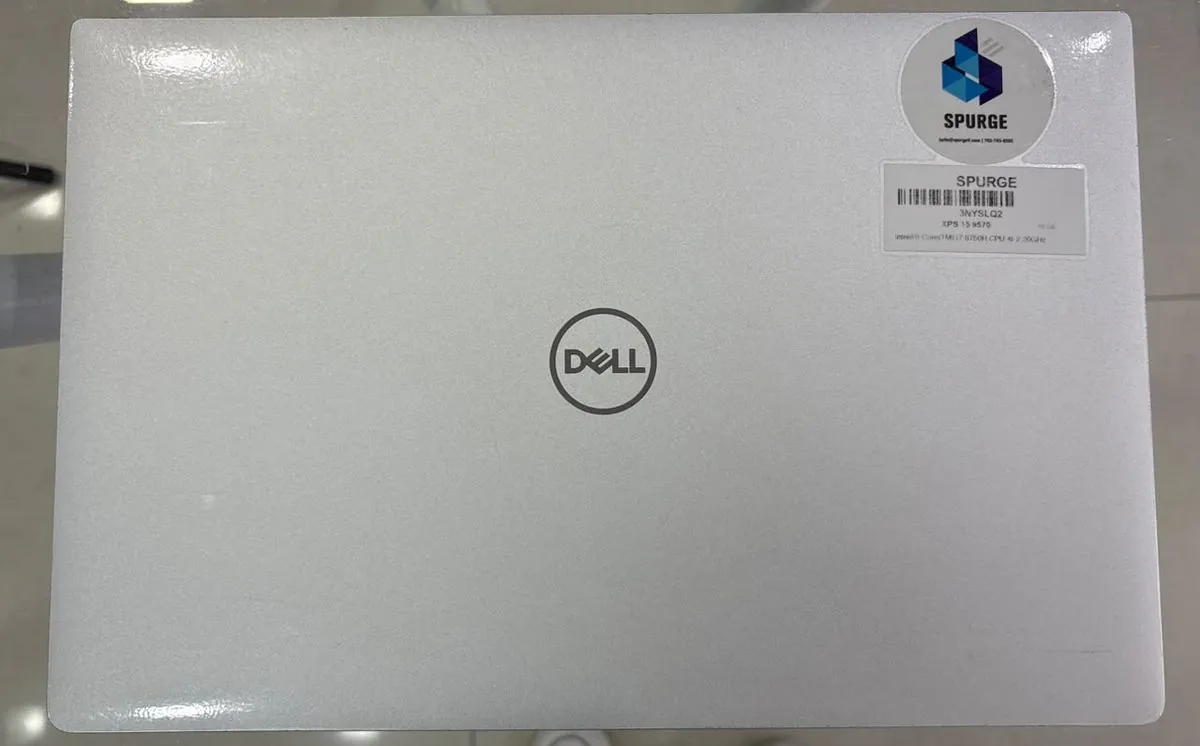
1 / 5
- Processor
- 8th Gen Intel Core i7-8750H
- Display diagonal
- 15.6 inches
Is this the right laptop for your work?
Photo and design work on a colour-accurate screen
The FHD panel covers 100% sRGB at 400 nits, and the GTX 1050 Ti adds a discrete GPU for applications that use one. Check your application vendor’s requirements for heavier video work.
Developers and analysts who need memory headroom
Six cores, 16 GB in two removable slots (up to 32 GB) and an NVMe slot up to 2 TB leave room to grow for local builds, virtual machines and large spreadsheets.
Desk setups with one cable
The Thunderbolt 3 port carries display, data and power in, alongside HDMI 2.0. Validate the specific dock and monitor combination.
Processor & graphics
The 2018 XPS 15 9570 pairs a 45 W, six-core 8th Gen Core i7 with a GeForce GTX 1050 Ti and Intel UHD Graphics 630.
Show 6 specificationsHide specifications
| Processor | 8th Gen Intel Core i7-8750H Verified as a complete Dell India configuration (store page archived 2018-09-29): i7-8750H / 16 GB DDR4-2666 (2 × 8 GB) / 512 GB M.2 2280 PCIe SSD / GTX 1050 Ti 4 GB / 15.6" FHD non-touch / 97 Wh / 130 W. Dell India — New XPS 15 configurations (archived 2018)Intel Core i7-8750H specifications |
|---|---|
| CPU | 6 cores / 12 threads Intel ARK: 2.2 GHz base, up to 4.1 GHz, 9 MB cache, 45 W TDP. Intel Core i7-8750H specificationsDell India — New XPS 15 configurations (archived 2018) |
| Documented CPU options | 8th Gen Intel Core i5, i7 and i9 options, up to Core i9-8950HK; Intel CM246 chipset Dell XPS 15 9570 Setup and SpecificationsDell India — New XPS 15 configurations (archived 2018) |
| Graphics | NVIDIA GeForce GTX 1050 Ti (4 GB GDDR5) Discrete graphics alongside the integrated Intel UHD Graphics 630. Dell India — New XPS 15 configurations (archived 2018)Dell XPS 15 9570 Setup and Specifications |
| Documented graphics options | Intel UHD Graphics 630 (integrated, shared memory) with NVIDIA GeForce GTX 1050 or GTX 1050 Ti, 4 GB Dell XPS 15 9570 Setup and Specifications |
| External display outputs | HDMI 2.0; DisplayPort 1.2 through the Thunderbolt 3 USB-C port Dell XPS 15 9570 Setup and Specifications |
Memory & upgrades
Memory sits in two removable SODIMM slots (up to 32 GB), and the SSD is a single M.2 2280 drive — both are reached by removing the base cover.
Show 5 specificationsHide specifications
| Installed memory | 16 GB DDR4-2666 (2 × 8 GB) Two removable SODIMMs; up to 32 GB documented. Dell India — New XPS 15 configurations (archived 2018) |
|---|---|
| Documented memory speed | DDR4, 2666 MHz as Dell lists it, dual-channel Dell XPS 15 9570 Setup and SpecificationsDell India — New XPS 15 configurations (archived 2018) |
| RAM slots & upgrades | Two SODIMM slots, both used by the 2 × 8 GB modules in this configuration; 4, 8 or 16 GB per slot, up to 32 GB total. Modules are removable after the base cover and battery are taken out. Confirm the modules fitted in the supplied unit. Dell XPS 15 9570 Setup and SpecificationsDell XPS 15 9570 Service ManualDell India — New XPS 15 configurations (archived 2018) |
| Installed storage | 512 GB M.2 2280 PCIe NVMe SSD Confirm with sales Dell’s India configuration with this processor, memory and graphics ships a 512 GB drive. The supplied unit was reported as “412 GB”, which is not a Dell factory size; confirm the installed drive. Dell India — New XPS 15 configurations (archived 2018)Dell XPS 15 9570 Setup and Specifications |
| SSD slots & upgrades | One M.2 2280 SSD slot: SATA up to 128 GB or PCIe Gen 3 x4 NVMe up to 2 TB. A 2.5-inch SATA drive bay exists only on 56 Wh battery systems, not on 97 Wh systems such as this configuration. Dell XPS 15 9570 Setup and SpecificationsDell XPS 15 9570 Service Manual |
Display & size
A 15.6-inch InfinityEdge display with thin borders in an aluminium and carbon-fibre chassis 357 mm wide and 11–17 mm thick.
Show 5 specificationsHide specifications
| Display diagonal | 15.6 inches Dell XPS 15 9570 Setup and Specifications |
|---|---|
| Resolution | 1920 × 1080 (FHD) IPS, anti-glare, non-touch, 100% sRGB, 400 nits, 60 Hz Dell India — New XPS 15 configurations (archived 2018)Dell XPS 15 9570 Setup and Specifications |
| Documented panel options | 15.6-inch FHD non-touch IPS (this configuration) or 3840 × 2160 UHD touch IPS with 100% Adobe RGB Confirm the supplied unit’s panel. Dell XPS 15 9570 Setup and SpecificationsDell press release, 3 April 2018 |
| Width × depth × height | 357 × 235 × 11–17 mm Dell XPS 15 9570 Setup and SpecificationsDell India — New XPS 15 configurations (archived 2018) |
| Model weight | 1.8 kg with the 56 Wh battery, SSD and non-touch display; 2.0 kg with the 97 Wh battery, SSD and touch display Dell publishes no weight for the 97 Wh non-touch configuration listed here. Dell India — New XPS 15 configurations (archived 2018)Dell India — XPS 15 9570 product page (archived 2020) |
Battery & charging
The Dell India configuration uses the larger 97 Wh six-cell battery and a 130 W barrel-plug adapter.
Show 4 specificationsHide specifications
| Battery capacity | 97 Wh 6-cell lithium-ion (this configuration); 56 Wh 3-cell option documented Built in and not customer-replaceable. Confirm the battery and its health in the supplied unit. Dell XPS 15 9570 Setup and SpecificationsDell India — New XPS 15 configurations (archived 2018) |
|---|---|
| Published battery runtime | No runtime in Dell’s specification guide, which says it varies with operating conditions Not published A renewed unit needs its own battery-health check. Dell XPS 15 9570 Setup and Specifications |
| Charging | About 4 hours to charge with the computer off; the Thunderbolt 3 port also accepts power in Dell XPS 15 9570 Setup and SpecificationsDell India — New XPS 15 configurations (archived 2018) |
| Documented power adapter | 130 W AC adapter, 19.5 V, 4.5 mm barrel connector Confirm the supplied adapter. Dell XPS 15 9570 Setup and SpecificationsDell India — New XPS 15 configurations (archived 2018) |
Ports & wireless
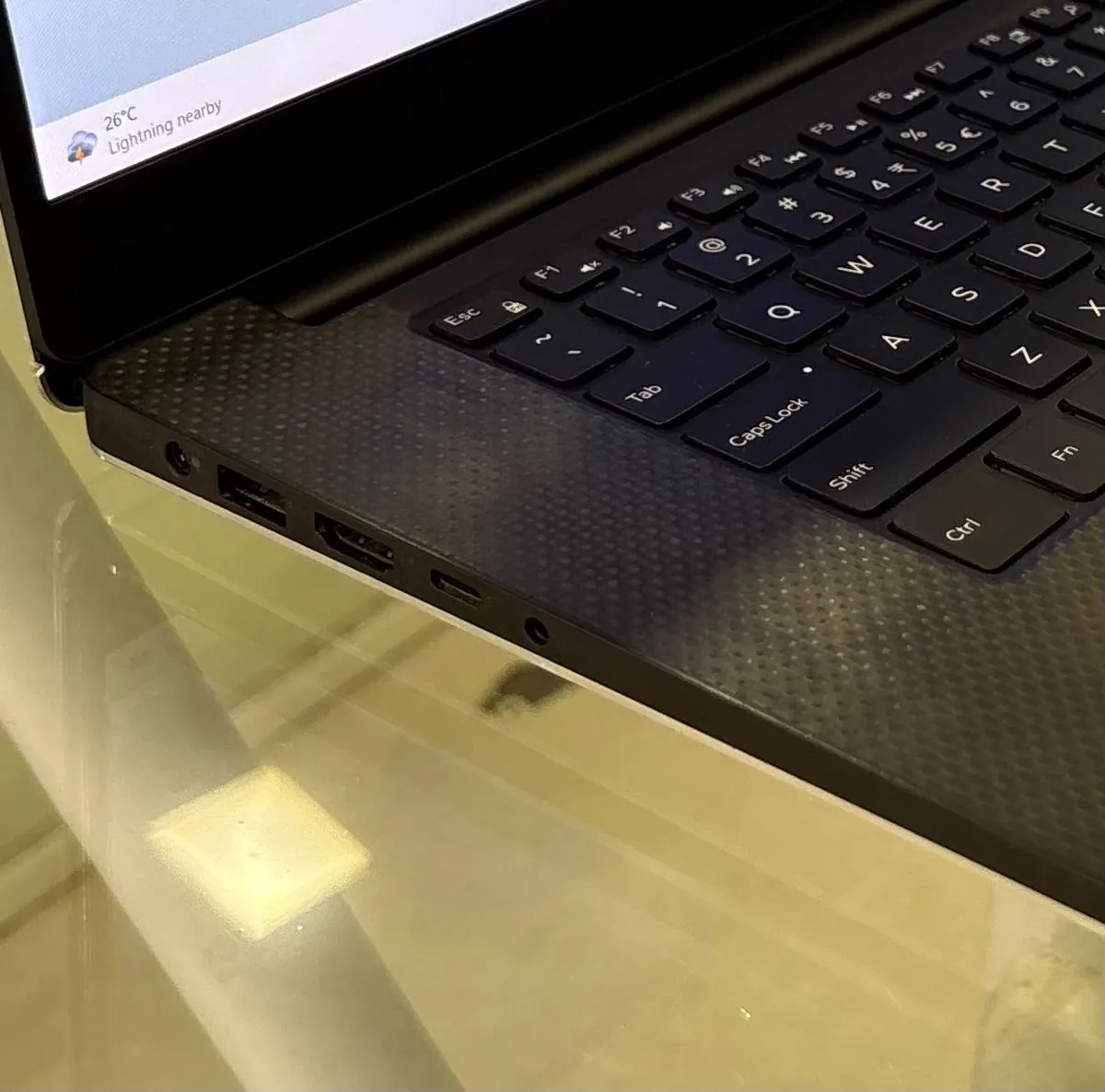
Two USB-A ports, one Thunderbolt 3 USB-C port with four PCIe lanes, HDMI 2.0 and an SD card reader; there is no Ethernet port in Dell’s port list.
Show 3 specificationsHide specifications
| USB ports | 2 × USB 3.1 Gen 1 Type-A with PowerShare (one each side); 1 × Thunderbolt 3 USB-C (40 Gbps, USB 3.1 Gen 2, DisplayPort 1.2, Power Delivery) Dell XPS 15 9570 Setup and SpecificationsDell India — New XPS 15 configurations (archived 2018) |
|---|---|
| Other connections | 1 × HDMI 2.0; SD card reader (SD, SDHC, SDXC); headset jack; DC-in; Noble lock slot; battery gauge button with five lights Dell XPS 15 9570 Setup and Specifications |
| Wireless | Killer 1535 802.11ac 2×2 Wi-Fi (up to 867 Mbps) and Bluetooth 4.2 Confirm the installed module on the supplied unit. Dell XPS 15 9570 Setup and SpecificationsDell India — New XPS 15 configurations (archived 2018) |
Camera & everyday use
A 720p webcam, fingerprint reader in the power button, backlit keyboard and Waves MaxxAudio Pro speakers.
Show 5 specificationsHide specifications
| Camera | 720p HD webcam (1280 × 720 at 30 fps, 75° diagonal) Dell XPS 15 9570 Setup and SpecificationsDell India — New XPS 15 configurations (archived 2018) |
|---|---|
| Speakers & microphone | Two speakers with Waves MaxxAudio Pro, 2 W average / 2.5 W peak as Dell lists them; dual-array microphones Dell XPS 15 9570 Setup and Specifications |
| Keyboard & touchpad | Backlit keyboard; 105 × 80 mm touchpad Confirm the layout on the supplied unit. Dell XPS 15 9570 Setup and SpecificationsDell India — New XPS 15 configurations (archived 2018) |
| Biometric sign-in | Fingerprint reader in the power button (included in the Dell India configurations) Dell XPS 15 9570 Setup and SpecificationsDell India — New XPS 15 configurations (archived 2018) |
| Operating system | Windows 10 Home Plus Single Language or Windows 10 Pro (64-bit) in the Dell India configurations Confirm the installed edition, version and licence on the supplied unit. Dell India — New XPS 15 configurations (archived 2018)Dell XPS 15 9570 Setup and Specifications |
Confirm the laptop. Then confirm the terms.
- This configuration is verified from Dell India’s 2018 store listing; it is not a SPURGE stock record. Availability, condition, price, GST, delivery and warranty are confirmed in the SPURGE quotation.
- Confirm the installed SSD: the unit was reported as “412 GB”, which is not a Dell factory size; this configuration shipped with 512 GB.
- RAM (two SODIMM slots, up to 32 GB) and the M.2 SSD can be upgraded; a 97 Wh battery system has no 2.5-inch drive bay.
- The battery is built in; ask for a battery-health report on a renewed unit.
- There is no Ethernet port — plan a USB or Thunderbolt adapter for wired networks.
- Share quantity, workload, city and required date so SPURGE can confirm supply and quote rental or purchase terms.
Related options: Laptop rentals IndiaRefurbished laptopsNew laptop procurementContact SPURGERead our sales terms.
Dell XPS 15 9570 FAQs
Is the Dell XPS 15 9570 a 17-inch laptop?
No. The XPS 15 9570 has a 15.6-inch display in a chassis 357 mm wide and 11–17 mm thick; Dell did not make a 17-inch 9570.
Dell XPS 15 9570 Setup and SpecificationsDell India — New XPS 15 configurations (archived 2018)Can the XPS 15 9570 RAM be upgraded?
Yes. Dell documents two removable SODIMM slots taking 4, 8 or 16 GB modules, up to 32 GB in total. The 16 GB configuration uses both slots (2 × 8 GB), so an upgrade replaces the modules.
Dell XPS 15 9570 Setup and SpecificationsDell XPS 15 9570 Service ManualDell India — New XPS 15 configurations (archived 2018)Can the SSD be upgraded, and is there a second drive bay?
The single M.2 2280 slot accepts PCIe Gen 3 x4 NVMe SSDs up to 2 TB. A 2.5-inch drive bay is only available on systems with the 56 Wh battery; this configuration has the 97 Wh battery, so it has no second bay.
Dell XPS 15 9570 Setup and SpecificationsDell XPS 15 9570 Service ManualWhich graphics card does it have?
This configuration has an NVIDIA GeForce GTX 1050 Ti with 4 GB of GDDR5, alongside the processor’s integrated Intel UHD Graphics 630.
Dell India — New XPS 15 configurations (archived 2018)Dell XPS 15 9570 Setup and SpecificationsHow do I request this laptop from SPURGE?
Send the specification, quantity, city and required date. SPURGE confirms the exact unit — including the SSD, panel, battery health and OS licence — and quotes rental or purchase terms before an order.
Check the facts at the source.
- Dell India store page “New XPS 15” (xps-15-9570-laptop), Wayback Machine capture of 2018-09-29
Archived official Dell India configuration list and technical specifications. Two orderable configurations (Windows 10 Home Plus Single Language with Office, and Windows 10 Pro) share i7-8750H / 16 GB DDR4-2666 (2 × 8 GB) / 512 GB M.2 2280 PCIe SSD / GTX 1050 Ti 4 GB GDDR5 / 15.6" FHD anti-glare non-touch IPS 100% sRGB 400 nits / backlit keyboard with fingerprint reader / Killer 1535 / 97 Wh / 130 W. Checked .
- Dell XPS 15 Setup and Specifications, computer model XPS 15-9570, regulatory model P56F (Rev. A02, September 2018)
Family-wide specifications: views and ports (pp. 7–10), dimensions, processors, OS and memory (p. 11), ports, storage and audio (pp. 12–13), camera, battery and adapter (pp. 13–15), display (p. 15), fingerprint reader and graphics (pp. 15–16). Checked .
- Dell XPS 15 Service Manual, regulatory model P56F (Rev. A05, November 2022)
Memory module removal (pp. 21–22), SSD procedures (pp. 27–32) and the note that the 2.5-inch hard drive is not available on systems shipped with the 6-cell battery (pp. 18, 20, 23, 26). Checked .
- Dell India “XPS 15 Inch 9570 High Performance 4K Laptop with InfinityEdge”, Wayback Machine capture of 2020-11-12
Archived official product page (marked no longer available): ports, height and weight by battery and display. Claim footnotes are not in the capture. Checked .
- Dell unveils new consumer PCs and Displays for power seeking and content-loving users (Wayback Machine capture of 2018-04-06)
Announcement of the new XPS 15 (8th Gen six-core, up to GTX 1050 Ti, 4K touch with 100% Adobe RGB). It does not name the 9570. Checked .
- Intel ARK — Intel Core i7-8750H Processor (9M Cache, up to 4.10 GHz)
Processor facts only: 6 cores / 12 threads, 2.20 GHz base, 4.10 GHz max turbo, 9 MB cache, 45 W TDP, DDR4-2666, UHD Graphics 630. Checked .
- Support for XPS 15 9570 | Overview | Dell India
Stable model-specific support link for drivers and manuals. No facts are cited from it. Checked .